 Miravo
Litmus Edge
Map Miravo environments into Litmus Edge devices, tags, Digital Twins models, and Digital Twins instances.

Miravo maps a running environment into Litmus Edge. It creates devices, tags, Digital Twins models, Digital Twins instances, and the links between them.
Without this workflow, you create and link those resources by hand. Miravo applies the environment in one operation, then lets you update or remove the same set later.
Digital Factory Demo
Most industrial demos run on synthetic noise. This one doesn't. This demo pairs Miravo with Litmus Edge to simulate a 2-site CNC manufacturing operation with realistic physics.
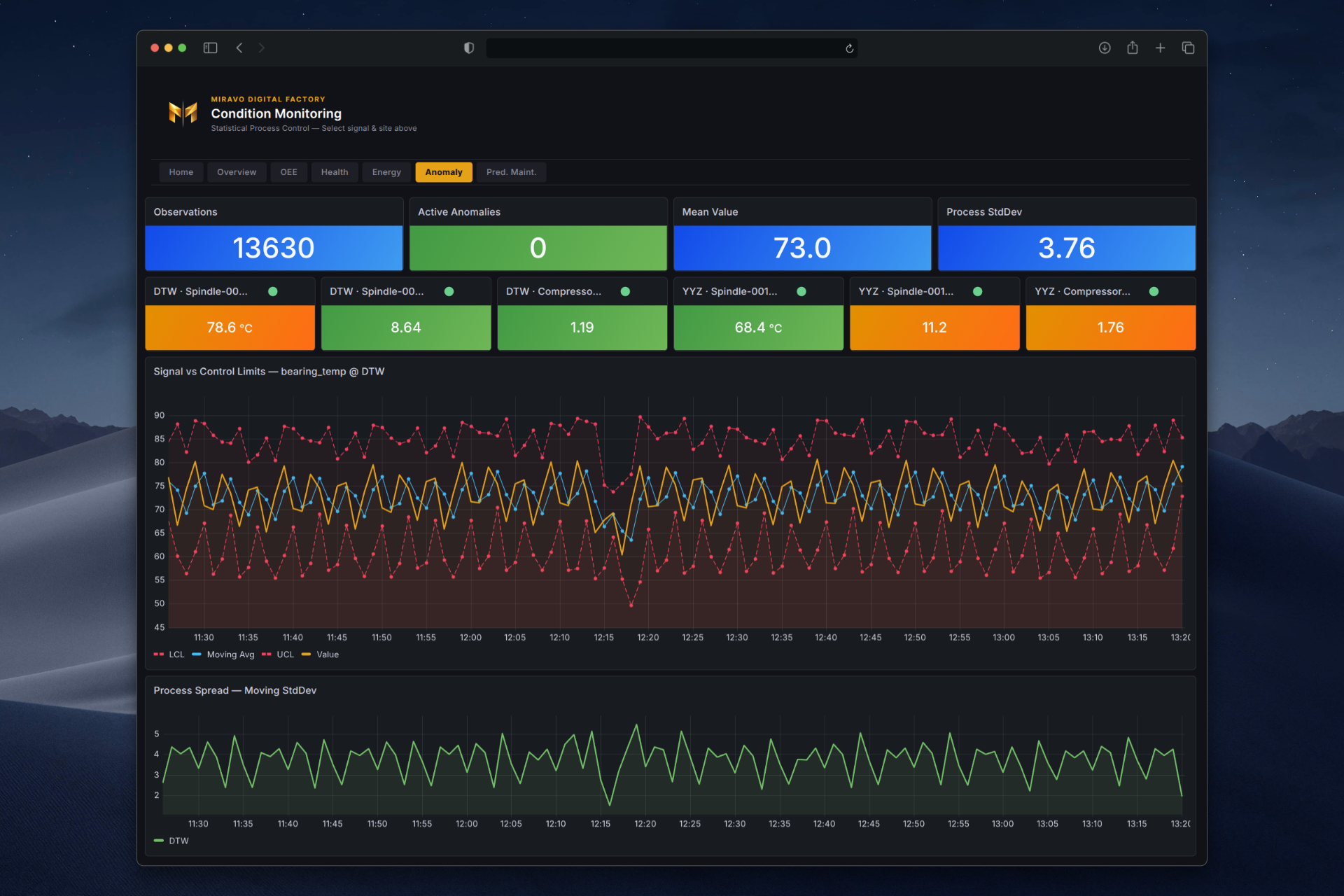
Litmus Edge connects to Miravo as if it were a real plant. It ingests live data across OPC UA, Modbus TCP, and MQTT, contextualizes it through digital twin models, runs analytics, and surfaces operational intelligence in Grafana dashboards.
26 assets. 3 protocols. OEE, health scoring, predictive maintenance, and cascade fault detection. One command.
Run the demo
Requirements: Docker Engine 24+, Docker Compose v2, ~6 GB RAM.
git clone https://github.com/amine-amaach/miravo.git && \
  cd miravo/examples/miravo-litmus-edge-dfd && \
  docker compose up
Boot takes up to 2 minutes. Litmus Edge boots and configures automatically. Grafana starts with live panels.
Trial reset
The built-in 2-hour trial is renewable. When it expires, click Reset in the
Litmus Edge UI and complete the reCAPTCHA. Data stays in place.
| Service | URL | Credentials |
|---|---|---|
| Grafana dashboards | http://localhost:3000 | admin / Miravo@Demo1 |
| Litmus Edge UI | https://localhost:8443 | admin / Miravo@Demo1 |
| Miravo Detroit console | http://localhost:8081 | admin / Miravo@Demo1 |
| Miravo Toronto console | http://localhost:8082 | admin / Miravo@Demo1 |
Explore the demo
Open Executive Overview in Grafana. Both sites are live, 26 assets healthy. Open Device Hub and Digital Twins in Litmus Edge. Inject a compressor fault from the Detroit Miravo console. Watch the assembly line stop propagate through the dashboards.
Map your own environment
Miravo maps your environment into Litmus Edge from the Console or CLI. Save the target with platforms target add. Preview or apply the mapping with miravo apply.
From the Console
Open /platforms in the Miravo Console. Register the environment. Apply it. Review the activity log.
From the CLI
The CLI path uses platforms target add, miravo apply, and miravo cleanup.
miravo platforms target add --label "Demo" --hostname 10.0.1.100 \
  --api-token "$LE_TOKEN" --source-hostname 10.0.1.50
miravo apply le --target Demo --template smart-factory --dry-runmiravo apply le --target Demo --template smart-factoryCLI ⭢ Litmus Edge
Apply, cleanup, export, and saved targets.
CLI ⭢ platforms target add
Save one Litmus Edge target.
CLI ⭢ miravo apply
Preview or apply the mapping.
Offline templates
No direct LE access from your machine? Generate an importable bundle locally with export le-template.
miravo export le-template --template smart-factoryThis writes smart-factory.le-template.json and smart-factory-tags.csv. Import the JSON in Litmus Edge at Template Store -> Import.
What gets created in Litmus Edge
- Devices — one per asset, per protocol
- Tags — every published member, with engineering units and access levels
- Digital Twins models — one per Miravo twin model
- Digital Twins instances — one per running instance, bound to its device and tags
Next
Choose an environment
Map a different environment into Litmus Edge.
Core ⭢ Templates
Template structure and validation path.
Litmus Edge docs
Trial and product docs.
Was this page useful?
Last updated on