 Miravo
Catalog Browser in the Miravo Console
Browse built-in environments and asset models, inspect source YAML, launch content, and export platform files from the Miravo Console.
The Catalog group contains /catalog and /models.
/catalog lists runnable environments. /models lists asset models.
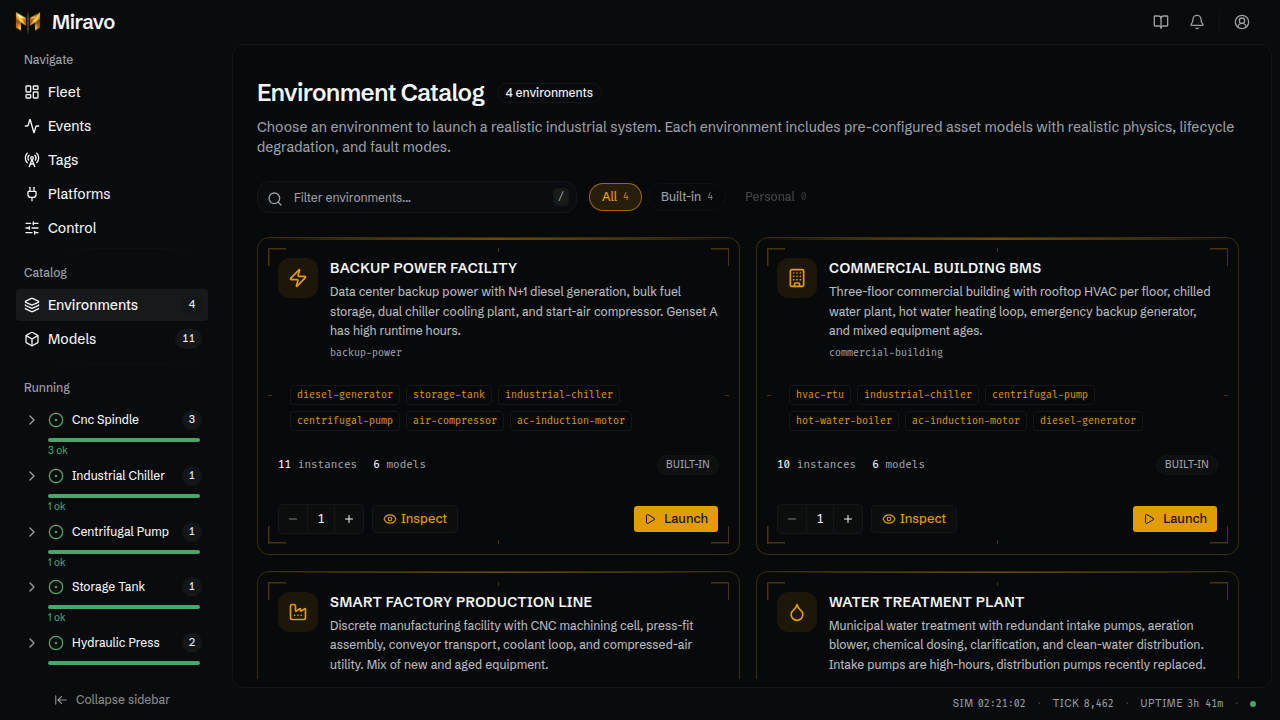
Environments
Use /catalog to inspect or launch an environment.
Environment cards show:
- environment name and description
- included model IDs
- instance and model totals for that environment
- source channel
- inspect and launch actions
Launching an environment loads its template into the running engine.
Template inspect sheet
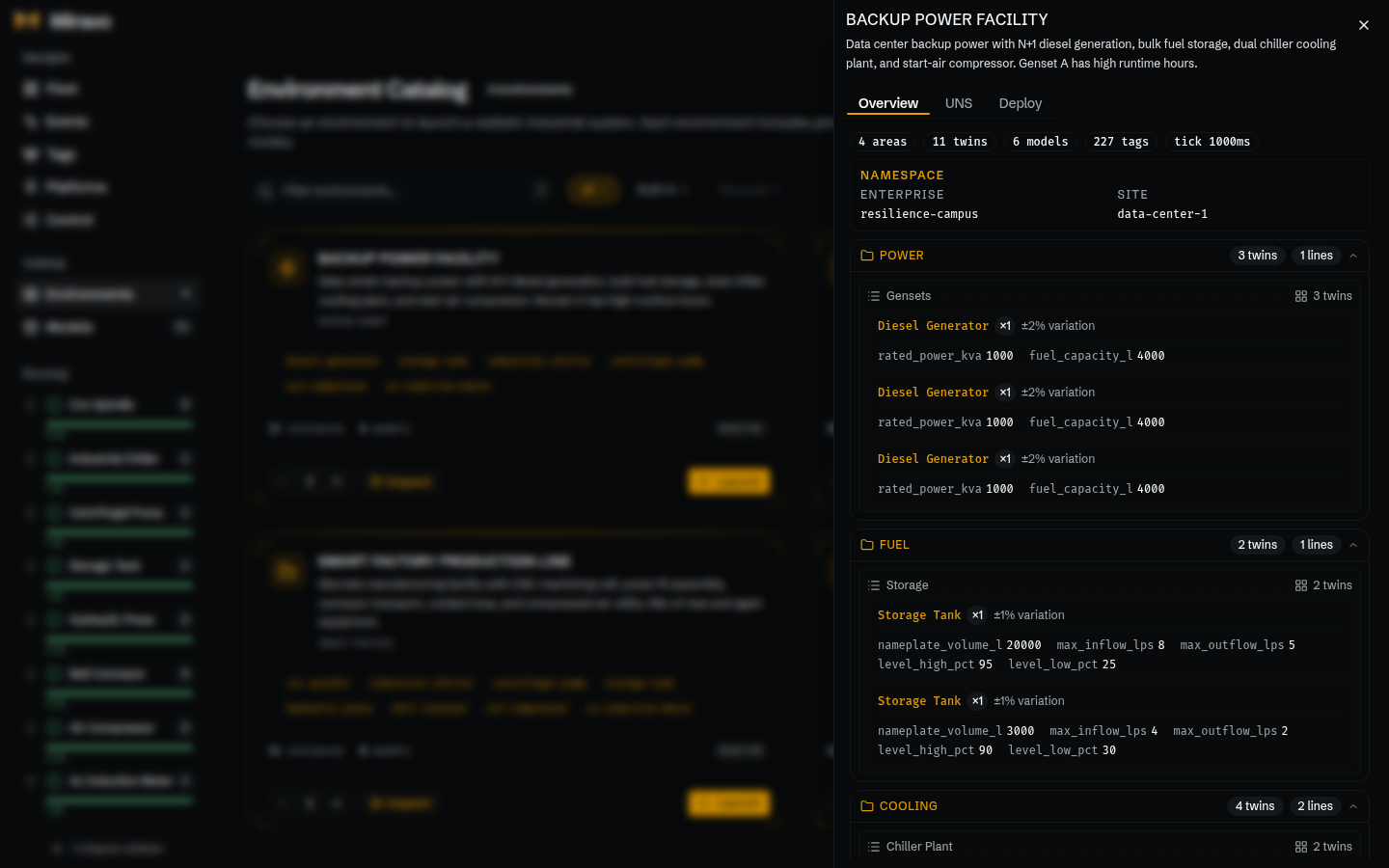
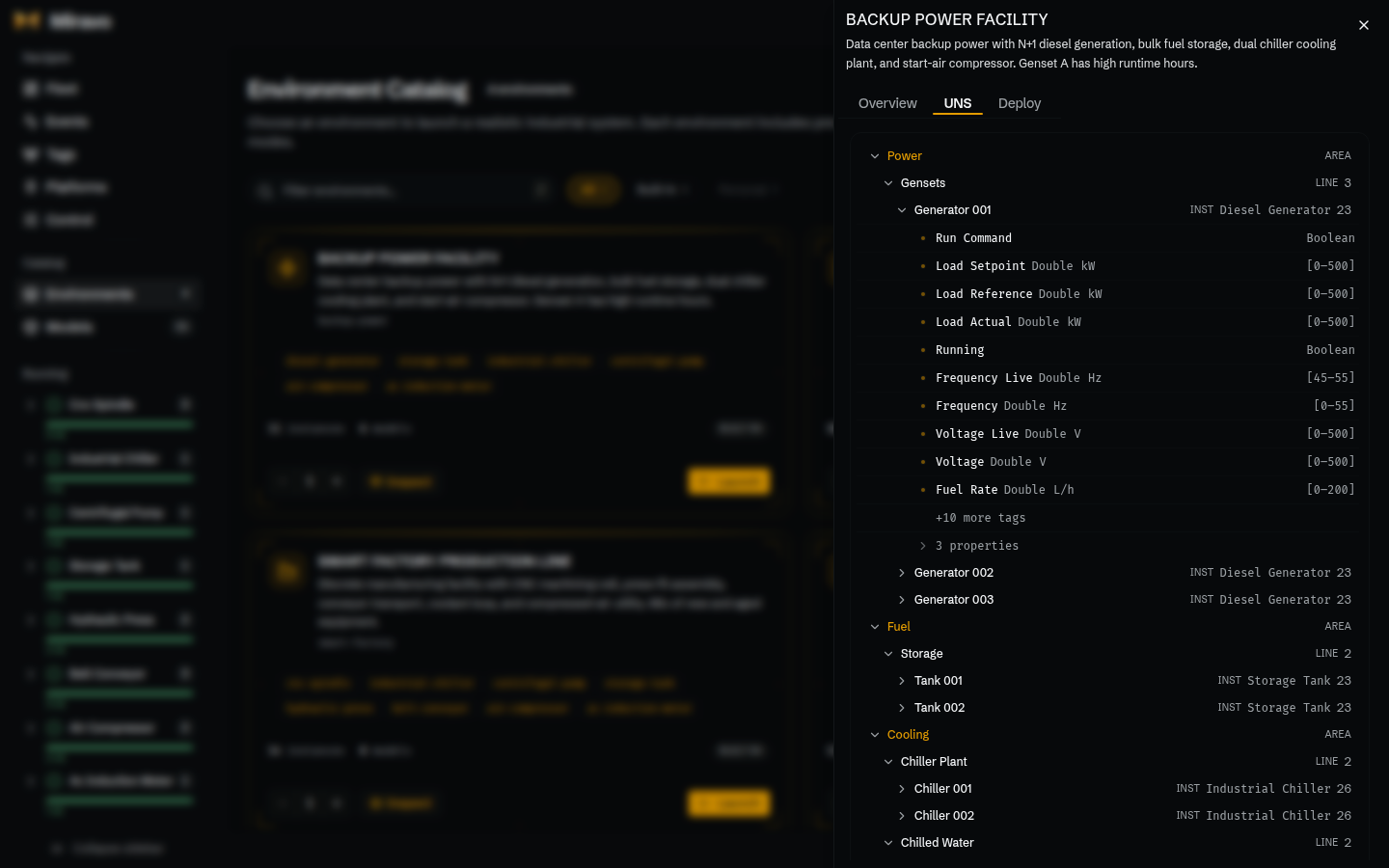
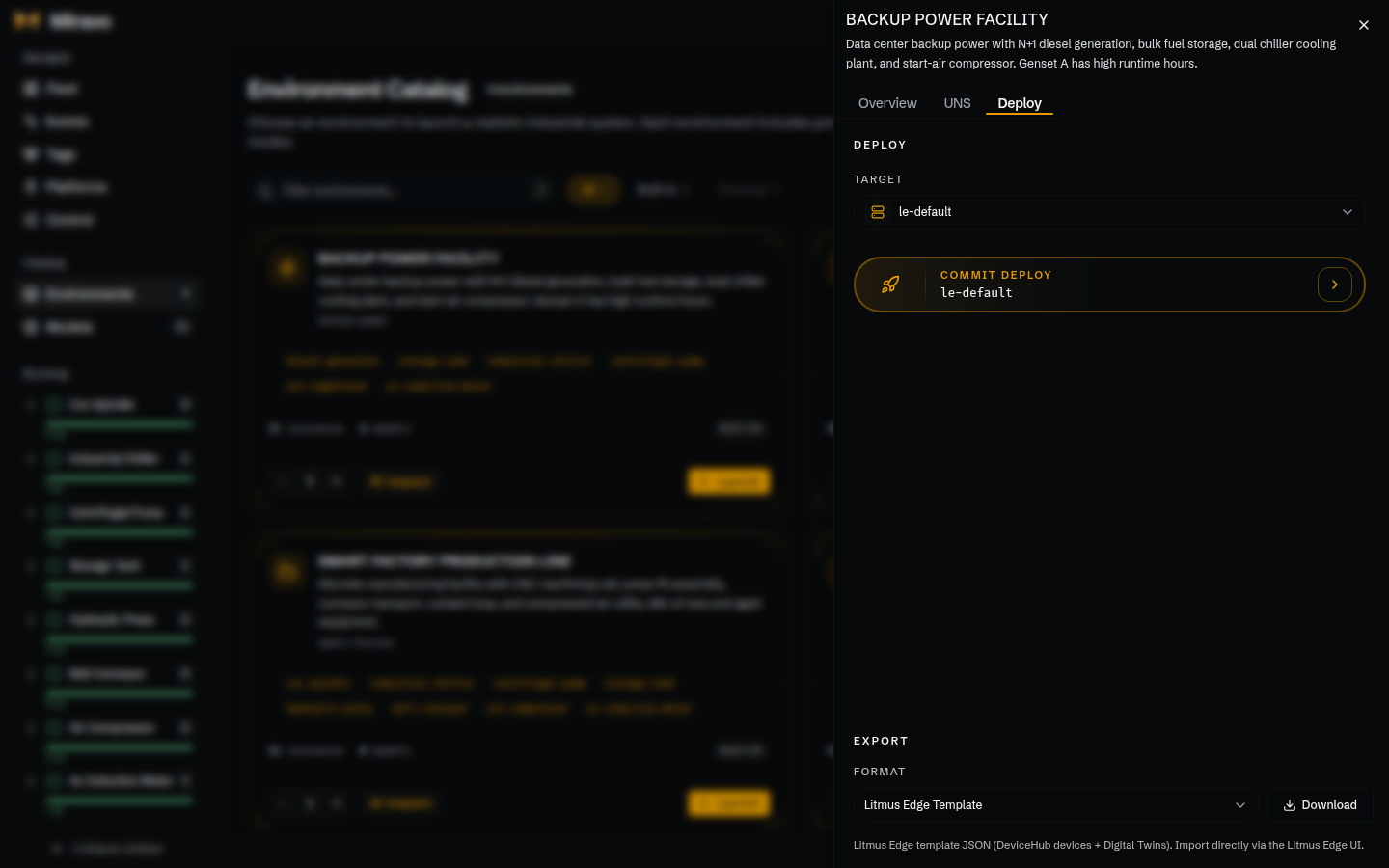
The template sheet has three tabs:
- Overview: areas, lines, twin counts, namespace, settings, and tag totals.
- UNS: the namespace hierarchy generated by the template.
- Deploy: YAML download and platform export actions.
Models
Use /models to inspect or spawn an asset model.
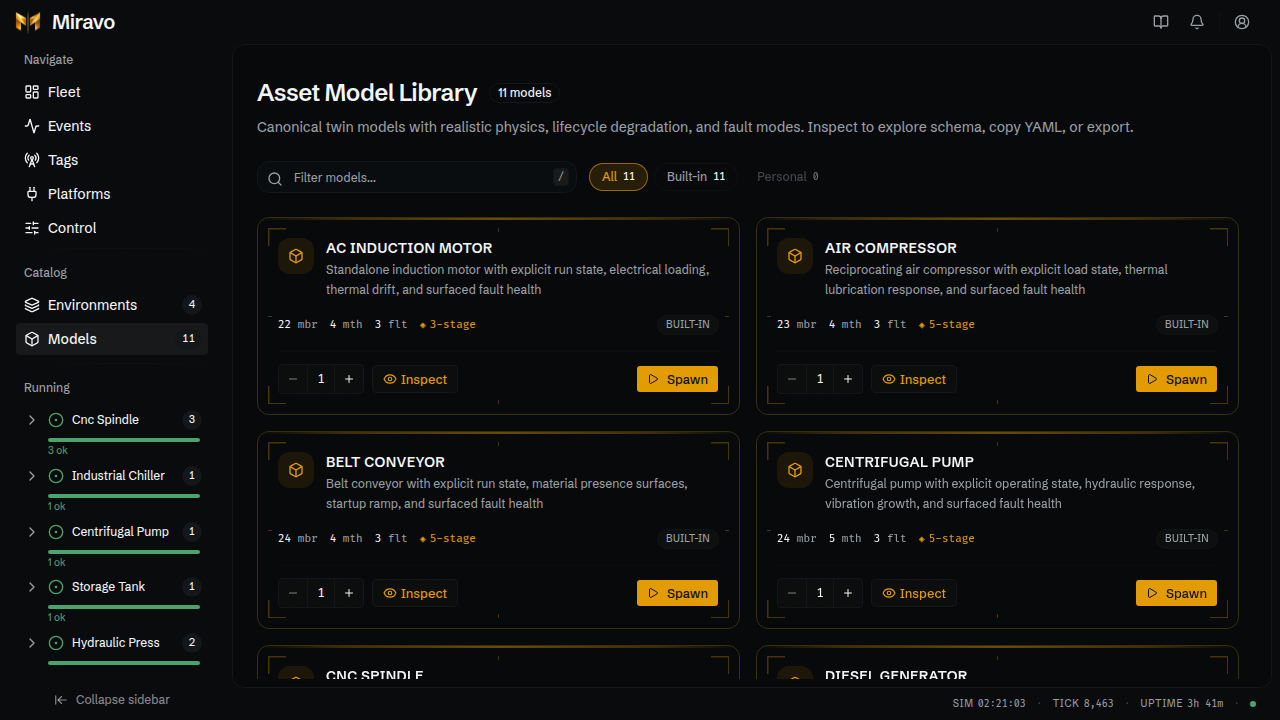
Model cards show member, method, fault, and lifecycle metadata. Inspect opens the model sheet.
Model inspect sheet
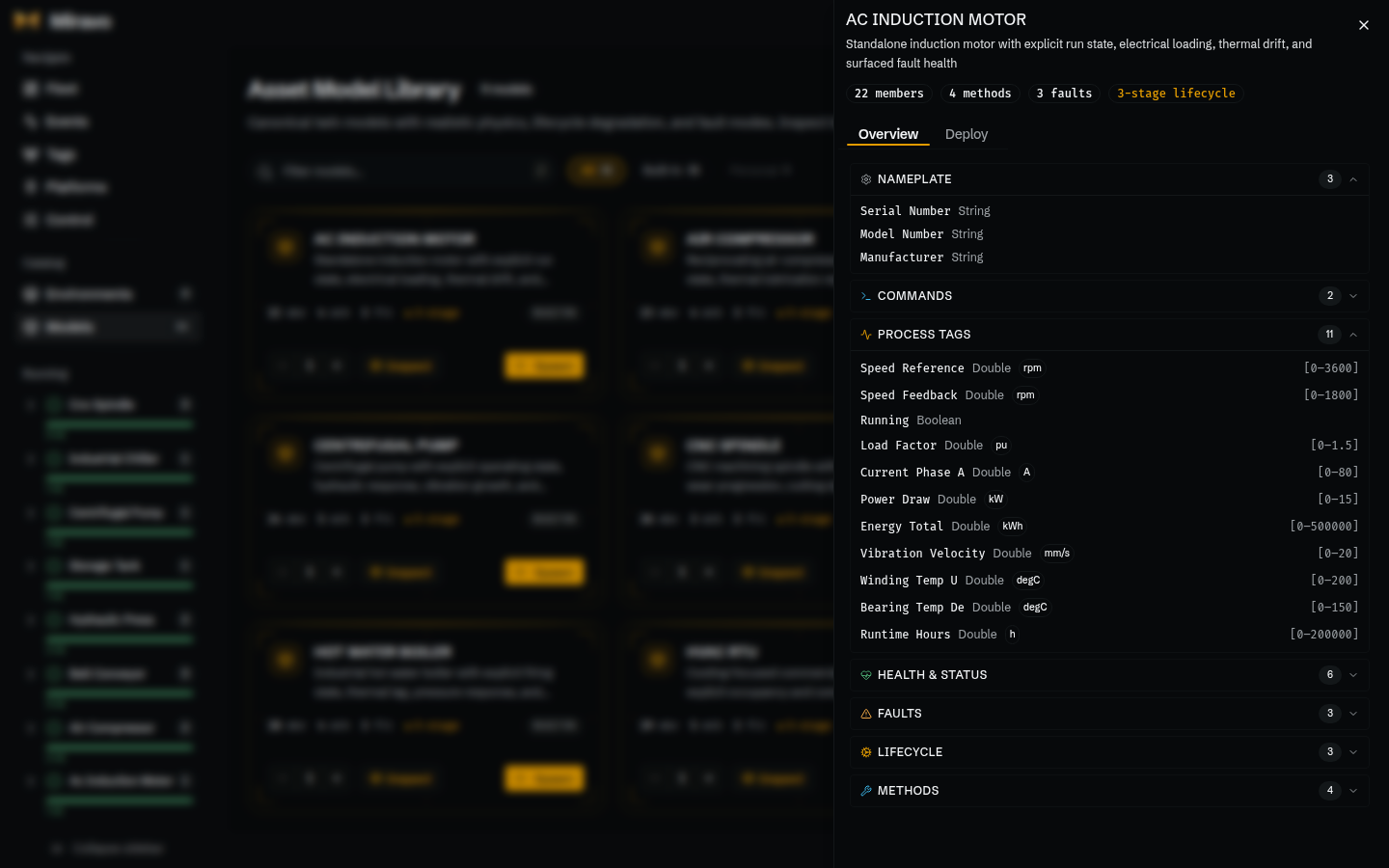
The model sheet has two tabs:
- Overview: members grouped by role, supported faults, lifecycle stages, and methods.
- Deploy: model YAML download and platform export actions.
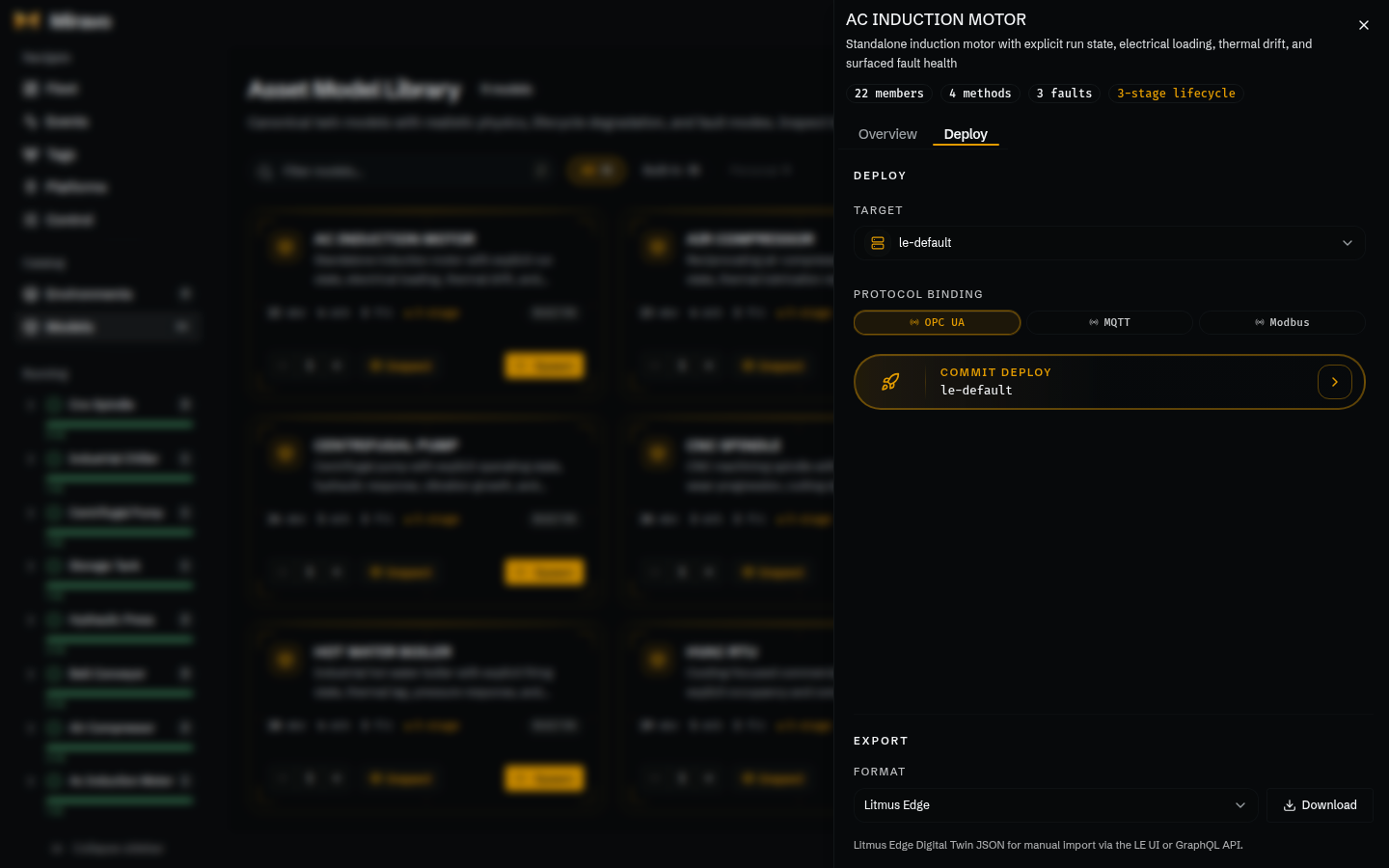
Export
Inspect sheets expose YAML and platform export actions.
- Model export can download model YAML.
- Litmus Edge Digital Twins export creates a Digital Twins model JSON.
- Template export creates a
{id}.le-template.jsonfile with DeviceHub devices, Digital Twins models, and instance wiring.
Template platform export does not require a running environment. Model Digital Twins export needs a live manifest so members match the current runtime.
Tags
Export live tag lists from the running environment.
Platforms
Apply or clean up templates against saved platform targets.
Was this page useful?
Live tag manifest in the Miravo Console
Filter the live tag manifest, inspect protocol-facing values, and export CSV or platform-ready tag files from the Miravo Console.
Runtime control in the Miravo Console
Operate the runtime engine, manage MQTT, OPC UA, and Modbus adapters, inject faults, and reset the active environment from the browser.