 Miravo
Fleet View in the Miravo Console
Use Fleet to inspect runtime health, filter live asset instances, open instance detail pages, and follow the active environment state.
Fleet is the default Console route at /.
It summarizes runtime health, fault state, tag throughput, and protocol output. The table lists every running instance with lifecycle stage, operating age, active faults, and health status.
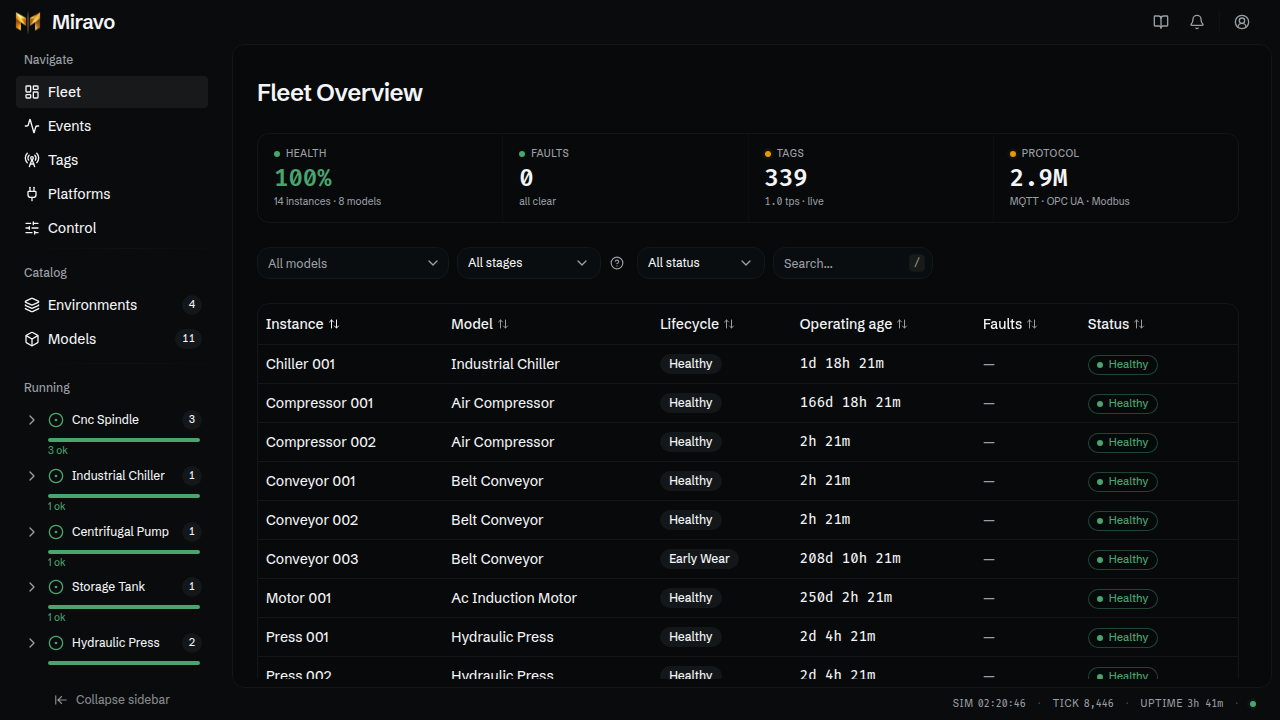
Status cards
Use the top cards to filter or navigate:
- Health filters to healthy instances.
- Faults filters to faulted instances.
- Tags opens
/tags. - Protocol opens
/control.
The cards update from the live runtime stream.
Instance table
Sort by instance, model, lifecycle, operating age, faults, or status.
Filter by:
- model
- lifecycle stage
- status
- instance ID or model text
The operating age includes template-seeded starting_hours plus elapsed runtime.
Instance detail
Open a row to inspect one asset.
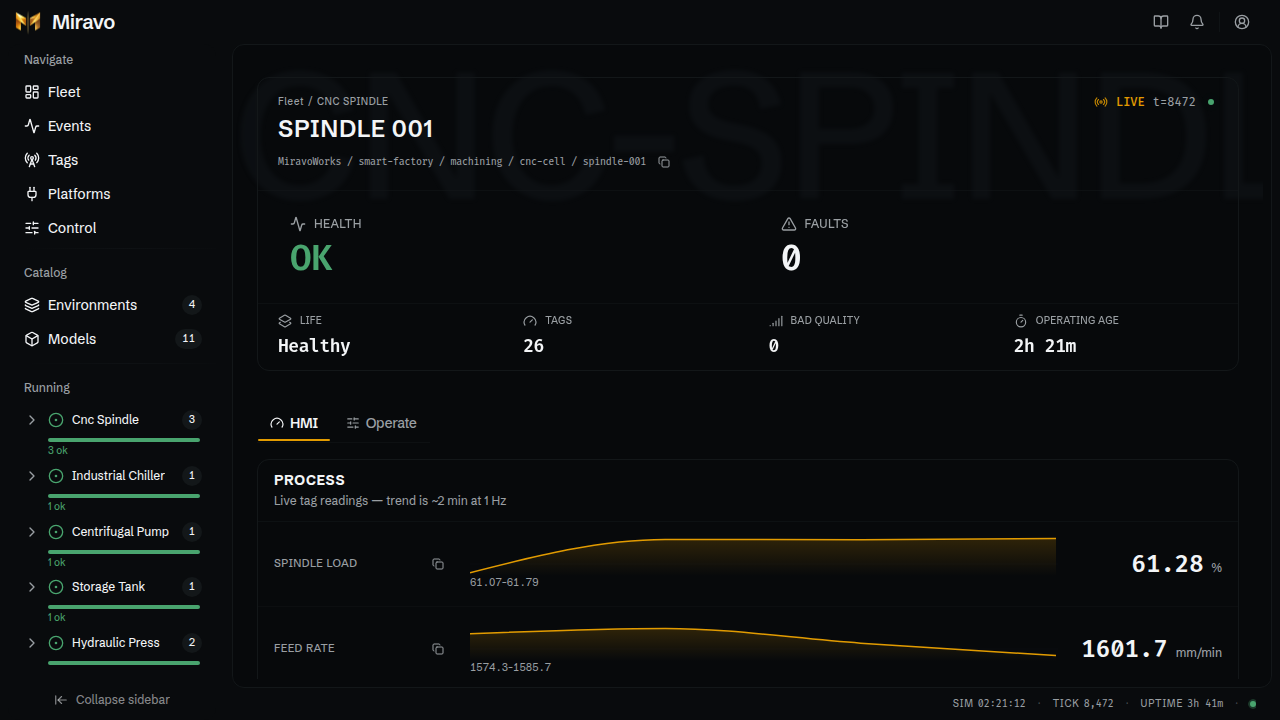
The HMI tab shows live process variables and short trends.
The Operate tab exposes:
- writable members and command flags
- method calls
- active faults
- injectable fault modes
- counters and nameplate data
Sidebar running list
The Running group clusters live instances by model. Expand a model to open individual instances.
Events
Use the event log to trace lifecycle and fault changes.
Control
Use Mission Control for engine and protocol actions.
Was this page useful?
Operator tasks in the Miravo Console
Run common operator workflows from the Miravo Console, including catalog launch, runtime control, platform targets, and tag export.
Runtime events in the Miravo Console
Read the Miravo runtime event log, separate operator alerts from chronological events, and inspect state changes from the active environment.